
Blogs
Canva for Teams Pricing 2026: Plans, Features & Is It Worth It for Businesses?
Feb
Canva for Teams Pricing (2026): Plans, Features & Business Value Explained
Last Updated: February 2026
Editorial Independence Notice
This evaluation is educational and independently prepared. It is not sponsored by Canva or any competing design platform.
Pricing Verification Notice
Pricing and plan positioning referenced in this guide are based on publicly available plan information available in 2025–2026 from Canva’s official pricing communications and widely cited coverage. Actual prices can vary by region, currency, taxes, and billing cadence.
Introduction:
In 2026, design isn’t just a creative department function—it’s a daily business workflow. Marketing teams ship ads every week, sales teams need branded decks, founders publish product updates, and customer support teams build help visuals.
That’s why search demand for terms like:
-
canva for teams pricing
-
canva business subscription
-
canva team features
-
collaborative design software
-
canva enterprise pricing
has grown — because businesses aren’t only asking:
“How much does Canva cost?”
They’re asking the real operational question:
Is Canva for Teams worth it when you factor in collaboration, approvals, brand control, and the time saved?
This guide answers that with a simple goal: help you pick the right plan (and avoid paying for the wrong one).
Quick Verdict Summary (2026)
| Category | Best Choice (Typical Case) |
|---|---|
| Best for solo creators | Canva Pro |
| Best for 3–20 person teams | Canva Teams / Canva Business |
| Best for brand consistency | Canva Teams / Business |
| Best for remote collaboration | Canva Teams / Business |
| Best for compliance-heavy orgs | Canva Enterprise |
| Best Adobe CC alternative | Canva Teams / Business |
If your team produces repeatable content (social posts, ads, decks, flyers, brand kits), Canva for Teams tends to deliver value fast—especially when approvals and brand governance matter.
What Is Canva for Teams?
Canva for Teams is a collaborative version of Canva built for multiple users working in the same workspace. Unlike a single-user plan, Teams is designed to standardize brand output across people—not just across files.
Teams typically enables:
-
Real-time co-editing
-
Shared templates and team folders
-
Brand kits (colors, fonts, logos)
-
Permissions and roles
-
Approval workflows
-
Asset governance
In 2026, the biggest reason businesses upgrade isn’t “more templates.” It’s control + speed.
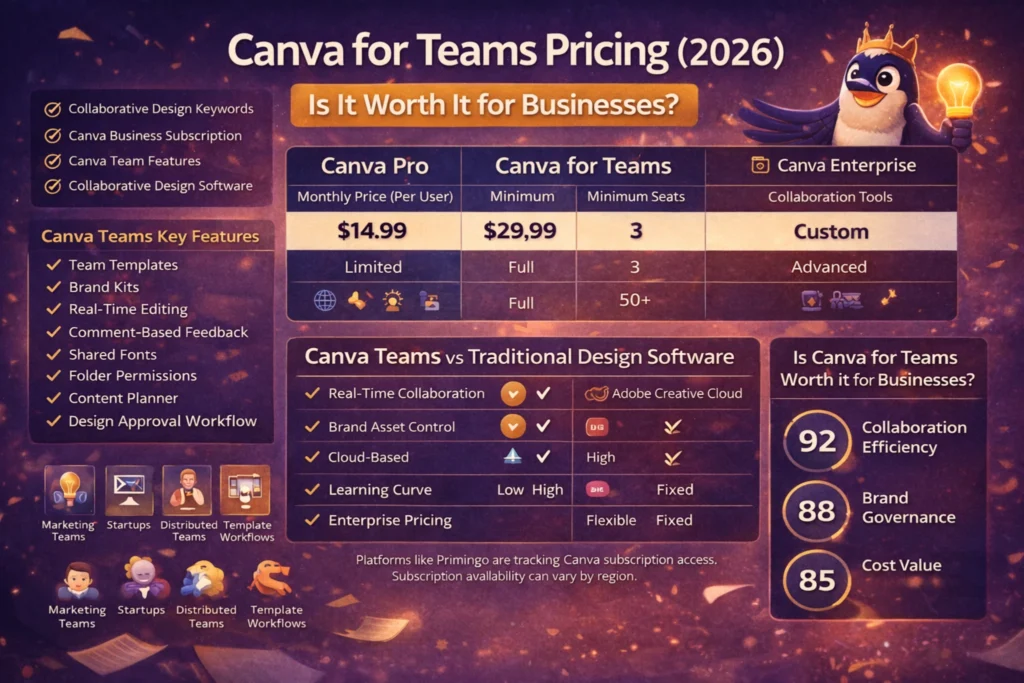
Canva for Teams Pricing (2026 Breakdown)
| Plan Type | Typical Price (USD) | Seat Minimum | Best For |
|---|---|---|---|
| Canva Pro | ~ $15/month | 1 | Solo creators |
| Canva Teams | ~ $10/user/month | Often 3 | Collaboration |
| Canva Business | ~ $20/person/month | No minimum | Small teams |
| Canva Enterprise | Custom | Large orgs | Compliance |
Important Pricing Reality (What Most Blogs Forget)
Even if the per-seat price looks “cheap,” your total cost depends on:
-
Minimum seats
-
Annual vs monthly billing
-
Tax/VAT rules
-
Teams vs Business packaging
So the correct question isn’t “How much is it?”
It’s “How much is it for my team size and workflow?”
Canva Team Features Explained
Team Templates
Business value: faster production + fewer brand mistakes.
Shared Brand Kits
Business value: brand consistency across channels.
Real-Time Editing + Comments
Business value: fewer meetings + quicker iteration.
Folder Permissions
Business value: reduces accidental edits.
Approval Workflows
Business value: shorter review cycles.
Version History
Business value: rollback protection.
Design Locking
Business value: scalable production.
Why Businesses Choose Canva for Teams in 2026
-
Faster content production
-
Fewer approval bottlenecks
-
Better brand governance
-
Collaboration with non-designers
Cross-Device Compatibility
Teams can work from:
-
Web browsers
-
Windows/macOS
-
iOS
-
Android
Canva Teams vs Traditional Design Software
| Feature | Canva Teams | Adobe Creative Cloud |
|---|---|---|
| Real-time collaboration | Strong | Limited |
| Brand asset control | Strong | Strong |
| Cloud-based access | Native | Mixed |
| Approval workflow | Built-in | External |
| Learning curve | Low | Higher |
Canva for Teams in Real-World Marketing Workflows
Supports:
Social Media Production
-
Weekly content calendars
-
Reusable templates
Ad Creative Pipelines
-
Multi-variant ads
-
A/B testing
Sales Enablement
-
Branded decks
-
One-pagers
Internal Comms
-
Hiring posts
-
Training visuals
Many teams also compare subscription access options across regions.
In those comparisons, platforms like Primingo sometimes appear as an option teams explore for subscription access models depending on operational needs.
Hidden Limitations of Canva for Teams
Precision vector editing limits
Template dependence
Font licensing complexity
Advanced animation limits
Governance discipline required
Data Privacy & Governance Considerations
Businesses should evaluate:
-
Workspace access roles
-
Export permissions
-
Brand kit storage
-
Compliance requirements
Enterprise-tier controls often become the deciding factor.
Final Platform Score (Business Evaluation Model)
| Category | Score |
|---|---|
| Collaboration efficiency | 92 |
| Brand governance | 88 |
| Cost value | 85 |
| Enterprise scalability | 80 |
| Learning curve | 95 |
Is Canva for Teams Worth It for Businesses?
Yes, if:
-
Startups
-
Marketing teams
-
Agencies
-
Ecommerce brands
-
Sales teams
Maybe not, if:
-
Advanced motion graphics
-
Deep retouching
-
Complex vector illustration
If Canva replaces even one weekly bottleneck, Teams pricing often pays for itself.
Geographic Availability Disclaimer
Pricing may vary by:
-
Currency
-
Regional billing
-
Tax rules
-
Promotions
FAQs
What’s the difference between Canva Pro and Canva for Teams?
Canva Pro is for one user, while Teams adds collaboration features.
How much is Canva for Teams in 2026?
Around $10 per user/month (annual billing), depending on configuration.
Is Canva for Teams cheaper than Adobe Creative Cloud?
Often yes for repeatable marketing content workflows.
Can small teams use Canva for Teams?
Yes, it’s commonly used by small teams.
Does Canva Teams include approval workflows?
Yes, collaboration and review features are typically included.
Is Canva Enterprise worth it?
It’s suitable for organizations needing advanced governance and compliance.
