
Blogs
How to Remove the CapCut Watermark | A Sweet Solution 2026
Feb
How to Remove the CapCut Watermark
If you’ve ever exported a video from CapCut and noticed a logo at the end, you’re not alone. The CapCut watermark is one of the most common frustrations for new creators—especially those posting on TikTok, Reels, or YouTube Shorts.
CapCut adds a watermark to videos created on its free plan, which is why many users search for ways to remove it. But here’s the important part: how (and whether) you can remove the watermark depends entirely on the plan you’re using.
This guide explains everything clearly and safely. You’ll learn why the watermark exists, whether it can be removed for free, and how watermark removal works across Free, Standard, and Pro—without hacks, loopholes, or account risks.
Short on time? You don’t need to read the full guide.
👉 Click me to Get instant access to a CapCut Pro account from our CapCut category—delivered immediately, watermark-free, no waiting.
Key Takeaways
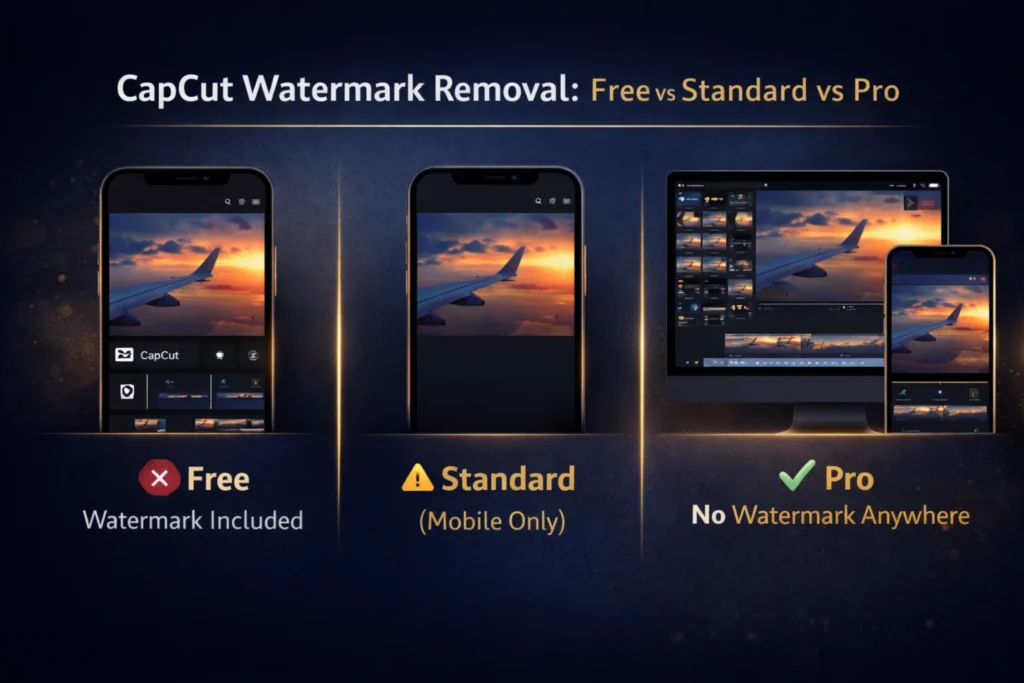
- The Free plan always includes a watermark
- Standard removes the watermark on mobile only
- Pro removes the watermark across all platforms
- There is no official way to remove the watermark for free
- Risky methods can break CapCut’s terms or lower video quality
What Is the CapCut Watermark and Why Does It Exist?
The CapCut watermark is a small logo that appears at the end (and sometimes the corner) of videos exported on the free plan.
Like most free editing software, CapCut uses watermarks to:
- Protect premium features
- Encourage upgrades
- Prevent unlimited commercial use on free accounts
This is a standard industry practice and helps keep the free version available to everyone.
Can You Remove the CapCut Watermark for Free?
No—there is no official free way to remove the CapCut watermark.
Some users try:
- Cropping the video
- Trimming the ending
- Re-exporting multiple times
These methods have clear downsides:
- Cropping reduces resolution
- Trimming may cut important content
- Re-uploads lower quality
So while you might hide the watermark temporarily, you can’t truly remove it for free without sacrificing quality or stability.
How to Remove the CapCut Watermark with the Standard Plan ?
The Standard plan removes the watermark, but with one important limitation.
What Standard unlocks:
- Watermark-free exports
- Extra templates and effects
Limitations:
- Mobile-only usage
- Export quality capped at 1080p
Standard works well if you:
- Edit only on your phone
- Post short videos casually
Don’t need desktop editing
How to Remove the CapCut Watermark with CapCut Pro
CapCut Pro offers full watermark removal across all platforms.
With Pro, you get:
- No watermark on mobile, desktop, or web
- 4K export support
- Advanced AI tools
- Professional-grade workflows
This is the most reliable option for creators who care about quality and consistency.
Free vs Standard vs Pro: Watermark Comparison
| Plan | Watermark | Platforms | Export Quality | Best For |
| Free | Yes | Mobile + Desktop | Up to 1080p | Casual users |
| Standard | No | Mobile only | Up to 1080p | Mobile creators |
| Pro | No | All platforms | Up to 4K | Professional creators |
Best Option Based on Your Use Case
For Casual or Personal Videos
The Free plan is fine if:
- You don’t mind watermarks
- You post occasionally
For TikTok, Reels & Shorts Creators
Standard works if:
- You edit only on mobile
- You want clean exports
For Freelancers & Client Work
Pro is the safest choice:
- Watermark-free everywhere
- Higher quality output
- Professional reliability
Common Mistakes When Trying to Remove the CapCut Watermark
- Cropping videos, which ruins resolution
- Re-uploading exports, lowering quality
- Using unsafe tools, risking account access
Avoid shortcuts—they often create bigger problems later.
Is Removing the CapCut Watermark Allowed?
Yes—when done through official plans.
CapCut’s terms allow watermark-free exports on Standard and Pro.
What’s not allowed:
- Bypassing paid features
- Using third-party removal tools
Sticking to official options ensures your account and content stay safe.
Is CapCut Pro Worth It Just to Remove the Watermark?
Pro makes sense if:
- You do client or brand work
- You post frequently
- Quality matters
Not necessary if:
- You edit occasionally
- You’re fine with mobile-only editing
- Watermarks don’t bother you
