
What Is the Grok AI Image Generation Limit in 2026?
Grok Imagine limits how much image generation an account can perform under its available access and usage allowance. Paid plans account for supported activity in a weekly pool, rather than promising a fixed daily picture total. The same account may generate different amounts of content depending on the tasks it performs.
| What you want to know | What the account shows or allows |
|---|---|
| Fixed images per day | No universal number published for every account |
| Current usage | A percentage used and a breakdown by activity |
| Paid allowance renewal | Weekly, on the displayed reset schedule |
| When paid allowance is exhausted | Wait for renewal or use eligible additional paid usage |
| Images fail while allowance remains | Check the actual error, account status and service availability |
An image created with Imagine is not the same type of action as uploading an existing image for analysis. Editing images and generating videos can also have different requirements and usage costs. Treat each product’s displayed restrictions as the source for that task, rather than assuming one number covers all image features.
How Do Free and Paid Grok Image Generation Limits Compare?
Free users have limited access to Grok Imagine, while paid X Subscription tiers receive progressively larger included allowances. xAI announced the combined X Subscription on October 2, 2026, with Plus, Premium, Super and Ultra tiers. Its advertised multipliers compare the overall weekly usage pool, not a guaranteed number of daily images.
| Plan | Monthly list price (USD) | Weekly usage compared with Plus |
|---|---|---|
| Free | $0 | Limited free access |
| Plus | $8 | Base allowance |
| Premium | $30 | 4 times the Plus allowance |
| Super | $100 | 15 times the Plus allowance |
| Ultra | $200 | 50 times the Plus allowance |
Source: xAI, Introducing The X Subscription, October 2, 2026; xAI, X Subscription Pricing, updated October 11, 2026. The amounts are published US dollar list prices before applicable tax, and local charges may differ.
A Premium plan’s 4 times allowance does not mean four times as many completed images. Chat, Imagine, Voice and other eligible activity can consume the shared allowance at different rates. xAI does not give a universal fixed image count for the five tiers in its announcement.
Do Existing SuperGrok Subscribers Have the Same Limits?
Not necessarily. Existing SuperGrok customers can retain their earlier subscriptions unless they choose to move to the X Subscription. Their plan names, prices and terms may differ from the new tiers. Check the actual plan name on your billing page before comparing allowances or accepting an upgrade offer.
Primingo’s Grok AI Pricing describes legacy purchase options. Use it for that background, while relying on the live account details for newly introduced plans.
How Does the Shared Weekly Grok Imagine Allowance Work?
Each eligible paid task draws from a weekly pool, and different tasks can consume different amounts. A short chat interaction may use less computing capacity than image or video generation. New X Subscription accounts also share eligible first-party Grok model usage across Grok and Cursor, rather than receiving separate full allowances for each.
For example, a displayed usage value of 60% means 60% of the measured weekly pool has been consumed. It does not prove that the remaining 40% equals a predictable number of pictures. Third-party models used in Cursor are billed as Additional Usage and are not included in that first-party pool.
Source: xAI, Usage Limits, updated October 11, 2026, and FAQ for Grok Website and Apps, Usage and Limits section.
When Does the Grok Image Generation Limit Reset?
Eligible paid Grok usage renews weekly at the date and time shown in the account’s Usage settings. The reset is not a universal midnight event. Free-tier restrictions and temporary feature controls may operate differently, so use the notice that applies to your specific account instead of a claimed worldwide cooldown.
The weekly clock matters when scheduling production work. If your allowance runs out the evening before a deadline, simply waiting for the next calendar day might not help. Read the displayed reset time before planning further generations.
How Can You Check Remaining Grok Image Generation Usage?
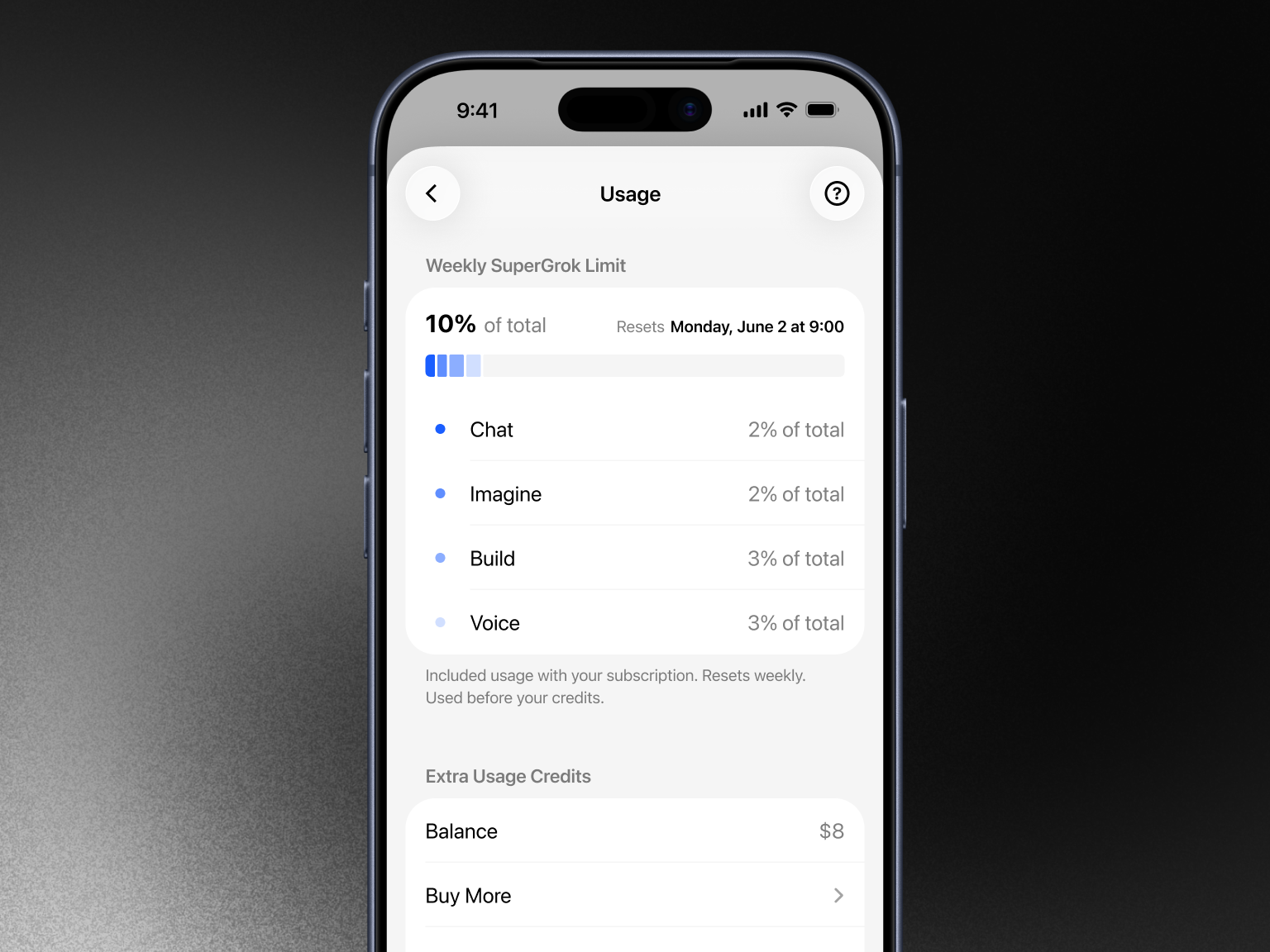
Sign into the account that holds your subscription and open Settings > Usage. The Usage view can show a percentage of the weekly allowance used, how activity is distributed among products, the next renewal and any extra credit balance. New X Subscription accounts can also access the Usage section through their account dashboard.
- Open the official Grok website or its supported mobile application and sign into your subscription account.
- Open Settings and select Usage. On newer X Subscription dashboards, open Usage from the account sidebar.
- Read the percentage already used. Do not interpret it as a count of remaining images.
- Find the Imagine entry in the product breakdown to see its contribution to your consumption.
- Record the next reset time and inspect Extra Usage Credits if your account shows that section.
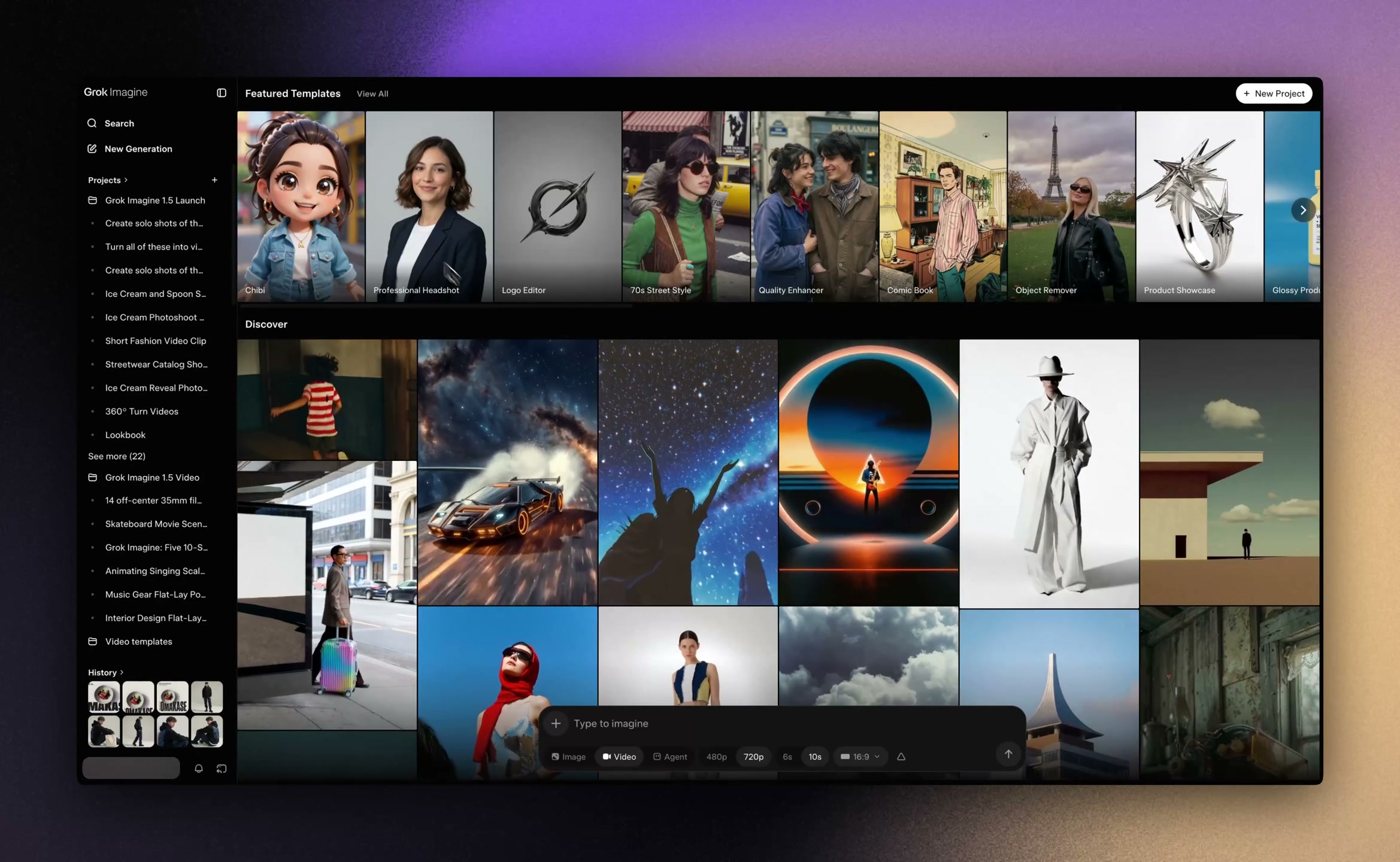
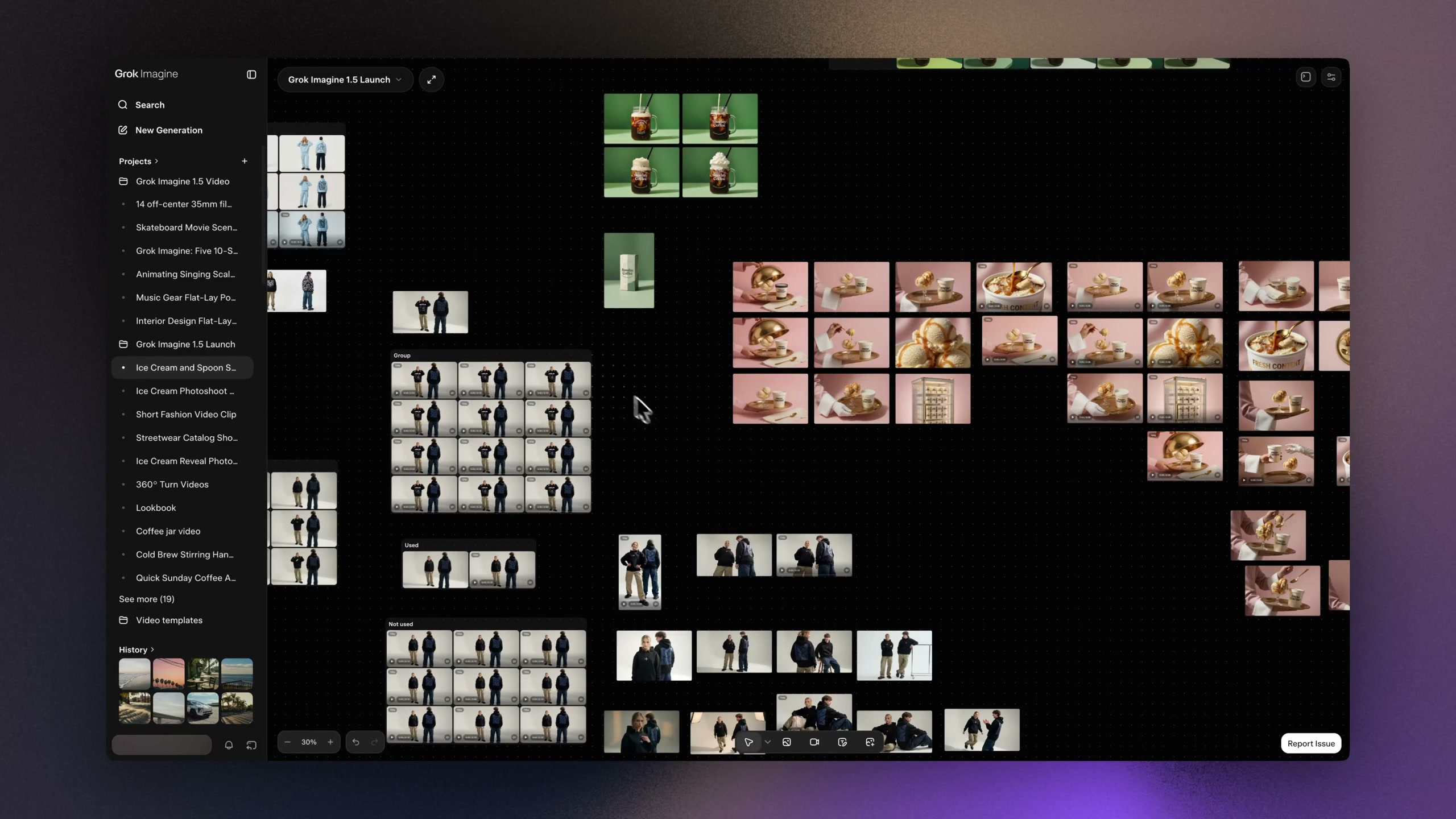
If Settings and Usage look different on your device, check the active account, its subscription type and the application version. New X Subscription users can check their usage in the account dashboard, while some legacy plans continue to show usage under Grok Settings. The desktop images in this guide show the Imagine workspace, not a private account dashboard.
Why Does Grok Say Image Generation Limit Reached, and How Do You Fix It?
An image generation limit message usually requires checking the remaining allowance first, but not every failure is a quota problem. When usage remains, investigate the exact error, subscription recognition, account restrictions and service availability. Avoid purchasing a new plan until you have identified the reason generation stopped.
| What happens | Likely explanation | First useful action |
|---|---|---|
| Included usage displays 100% | Weekly allowance exhausted | Check next reset or eligible additional usage |
| Upgrade prompt after paying | Subscription entitlement or login mismatch | Check the receipt, account identity and purchase platform |
| Imagine request fails with allowance left | Generation error, rejected request, restricted feature or outage | Inspect the error, verify service status and try once after correcting the cause |
| Credits exist but additional usage stops | Monthly additional usage spending cap reached | Review the separate spending cap |
| Allowance drops faster than expected | Other supported activity draws from the same pool | Review the product breakdown rather than counting images |
What If Grok Shows a Limit Immediately After Upgrading?
Confirm that the purchase and the active login belong to the same account. A subscription purchased through Apple, Google Play or the web may not appear under a different sign-in identity. Verify the receipt, refresh the application and check the subscription record on the platform that processed the purchase.
If you obtained access through a separate seller, confirm whether it is private, a recharge on your own account or shared access. Primingo lists those distinctions under its Grok AI account and subscription options. A separate seller cannot remove limits imposed by xAI, and shared usage can be affected by other authorized users.
What If Image Generation Fails With Usage Still Available?
Check whether Grok rejected the request or encountered a technical problem. Read the error message, check xAI’s service status and try one corrected request when appropriate. If a valid request continues to fail, contact official support with the approximate time, error wording and relevant account details.
A completed image you dislike is a creative outcome, not necessarily a failed task. Do not assume unsuccessful attempts always trigger an automatic credit refund. If the usage meter changes after a technical failure, document the difference before contacting support.
How Can You Continue Generating Images After Reaching a Limit?
Eligible paid accounts can wait for the allowance to renew, purchase Extra Usage Credits or choose a larger plan. The right choice depends on how often the current pool runs out and whether your account supports additional spending. More paid capacity does not guarantee that every prompt will be accepted or that service outages will disappear.
| Option | When it fits | Important limitation |
|---|---|---|
| Wait for renewal | A one-time burst of work has exhausted your paid pool | It does not restore generation immediately |
| Purchase Extra Usage Credits | An occasional project needs more paid capacity | Costs and eligibility depend on the account |
| Upgrade the plan | Production regularly exceeds the current allowance | A bigger pool is not a guaranteed image count |
| Enable Auto Top Up | A supported paid account needs continuity | May cause new charges, subject to settings and caps |
According to xAI’s consumer FAQ, web users can purchase Extra Usage Credits starting at $5, with top-up credit generally expiring one year after purchase unless other terms apply. xAI’s October 2026 documentation also distinguishes prepaid credit from the monthly Additional Usage spending cap. Having prepaid credit does not override a cap.
Auto Top Up is optional and does not activate simply because you change to the X Subscription. Review the minimum balance threshold, charge amount and spending controls before enabling it. Frequent top-ups can cost more per action than choosing a suitable larger included pool.
If your finished image only needs an independent video editing stage, compare Runway AI Pricing 2026 before paying for separate production software. Runway credits cannot raise or reset the Grok Imagine allowance, so this option is useful only for a distinct creative task.
How Can You Make Better Use of Grok Imagine Without Unnecessary Generations?
Reduce avoidable attempts by defining the image before starting a generation. Include the subject, composition, aspect ratio, intended visual style and any essential constraints in the first prompt. Inspect the result before requesting another version, and change the specific detail that failed instead of repeatedly sending the same instruction.
- Plan the first prompt. Decide on framing, background and lighting before using paid generation capacity.
- Revise deliberately. Where editing is supported, compare a targeted modification with a completely new generation.
- Separate drafts from final outputs. Approve the concept before producing several variants.
- Watch the shared pool. Heavy voice, chat, video or eligible Cursor activity can affect the capacity available for images.
Can Another Creative Tool Increase Your Grok Image Limit?
No. A subscription to another image or video generator does not add usage to Grok. However, you can sometimes preserve Grok capacity by reusing a completed image as input to a separate production stage rather than regenerating the image solely to add motion.
If the next stage is image animation, Kling AI Pricing 2026 explains the credit considerations for a separate video workflow. That decision is about additional production costs, not a way to bypass Grok restrictions.
For readers evaluating digital subscriptions in one place, Primingo’s subscriptions lists available products. Check each provider’s current terms before purchasing, since marketplace access and official feature limits are different questions.
Which Official Sources Support These Grok Limit Figures?
The main factual references are xAI’s October 2, 2026 X Subscription announcement and its October 11, 2026 subscription documentation. They establish the advertised $8, $30, $100 and $200 monthly tiers, their relative weekly allowances, shared usage across supported products and the distinction between included usage and paid top-ups.
The xAI consumer FAQ documents the Usage screen, the weekly refresh, the $5 minimum web top-up and the usual one-year credit expiry. The service settings on an individual account remain the authoritative place to check that account’s available usage. The two original desktop screenshots in this guide come from the June 2026 Grok Imagine product announcement by xAI.
Frequently Asked Questions About Grok Image Generation Limits
How Many Images Can I Generate With Grok AI for Free?
xAI provides limited free Imagine access but does not guarantee one fixed image count for all free users. The allowance and feature restrictions depend on the account and the controls available when it is used. Avoid relying on an older article that promises a particular number of free images every day.
Does SuperGrok Allow Unlimited Image Generation?
No paid Grok plan should be treated as guaranteeing unlimited image generation. Larger subscription allowances increase capacity, but generation still depends on the plan, available usage and feature restrictions. Customers on legacy SuperGrok plans should review the terms attached to those plans rather than assume they match new X Subscription tiers.
Why Does Grok Show Different Image Limits on My Phone and Computer?
A mismatch can occur when the devices use different accounts or subscription sign-in methods. Compare the login identity and subscription status on both devices. The presentation of settings can differ between application versions, but switching devices does not itself create a fresh paid weekly allowance.
Do Failed Grok Image Generations Use Up My Allowance?
There is no universal published guarantee that every failed consumer image generation is refunded. A rejected request and a completed but unwanted image are also different outcomes. If a technical failure appears to reduce your balance, record the error and usage details so support can investigate.
Are xAI API Image Limits Separate From Grok Subscriptions?
Yes. The xAI API is a separate developer service with its own billing and throughput rules. Paying for a consumer Grok plan does not automatically include an equivalent API image generation entitlement. Applications built on the API must be budgeted using the developer product’s current rates and limits.
