

Supercut AI Pricing 2026: Pro, Enterprise and Free Trial
Supercut has one standard paid plan, Pro, alongside a custom Enterprise plan. Its 14-day free trial allows new users to test the service before committing, but it is not a permanent free video-sharing plan.
| Plan | Advertised Price | Actual Billing | Best For |
|---|---|---|---|
| 14-Day Free Trial | $0 | No credit card required | Testing recording and sharing |
| Pro Monthly | $18 per creator seat/month | $18 charged monthly per seat | Flexible subscriptions |
| Pro Annual | $15 per creator seat/month equivalent | $180 upfront per seat each year | Regular professional use |
| Enterprise | Custom quote | Annual contract | Larger organizations |
All prices are in US dollars. Taxes, regional billing, and currency conversion can change the final checkout amount. The official Supercut pricing page lists the features and billing options directly.
Supercut Pro Pricing: Monthly vs Annual Billing
Both Pro billing options include the same core features. The difference is the payment schedule: annual billing requires $180 upfront per seat, whereas paying $18 monthly for twelve months totals $216.
Annual savings: $36 per seat, or approximately 16.7% against twelve monthly payments at the listed rate. The advertised $15 annual rate is a monthly equivalent, not a $15 monthly charge.
Supercut allows unlimited native recordings, but each recording is limited to one hour. That distinction matters for courses, long presentations, and meeting archives.
Supercut Official Pricing vs Primingo Subscription Offers
Supercut’s direct annual Pro subscription and a third-party listing should not be presented as identical purchases. Primingo advertises a one-year Supercut Pro seat separately from the software developer’s own annual billing.
| Purchasing Option | Duration | Listed Price | Important Distinction |
|---|---|---|---|
| Supercut Pro, direct annual billing | 1 year, 1 creator seat | $180 | Direct subscription to the platform |
| Twelve Supercut Pro monthly payments | 12 months, 1 creator seat | $216 | Monthly payment flexibility |
| Primingo Supercut Pro, 1 seat | 1 year | $50 advertised | Independent seller offer; verify terms |
| Primingo Supercut Pro, 10 seats | 1 year | $200 stated in the supplied listing | Confirm selected package price and entitlement before publishing or purchasing |
The $50 one-seat offer is $130 less than Supercut’s direct $180 annual price, a calculated difference of approximately 72.2%. That is a price comparison, not a guarantee of equivalent ownership, customer support, renewal rights, or service access. The ten-seat amount in the supplied article has not been independently confirmed for the selected checkout option.
What Should You Check Before Buying Supercut Through Primingo?
Before purchasing, verify the creator-seat entitlement, whether access is supplied through your own account or a separate workspace, who controls billing and administrator permissions, the activation process, and what happens when the purchased term ends. Review replacement, support, cancellation, and refund conditions as well.
Readers comparing a third-party purchase can review the Supercut Pro annual subscription on Primingo and confirm the exact option and delivery conditions at checkout.
Supercut Pro vs Enterprise: Features and Pricing
Supercut Pro combines native screen recording, AI-powered editing, searchable transcripts, video sharing, branding, analytics, and team collaboration. Enterprise includes these features and adds centralized security and organizational administration.
What Features Are Included in Supercut Pro?
Pro works as an AI screen recorder and asynchronous video communication tool for product demos, engineering updates, customer support, and internal training.
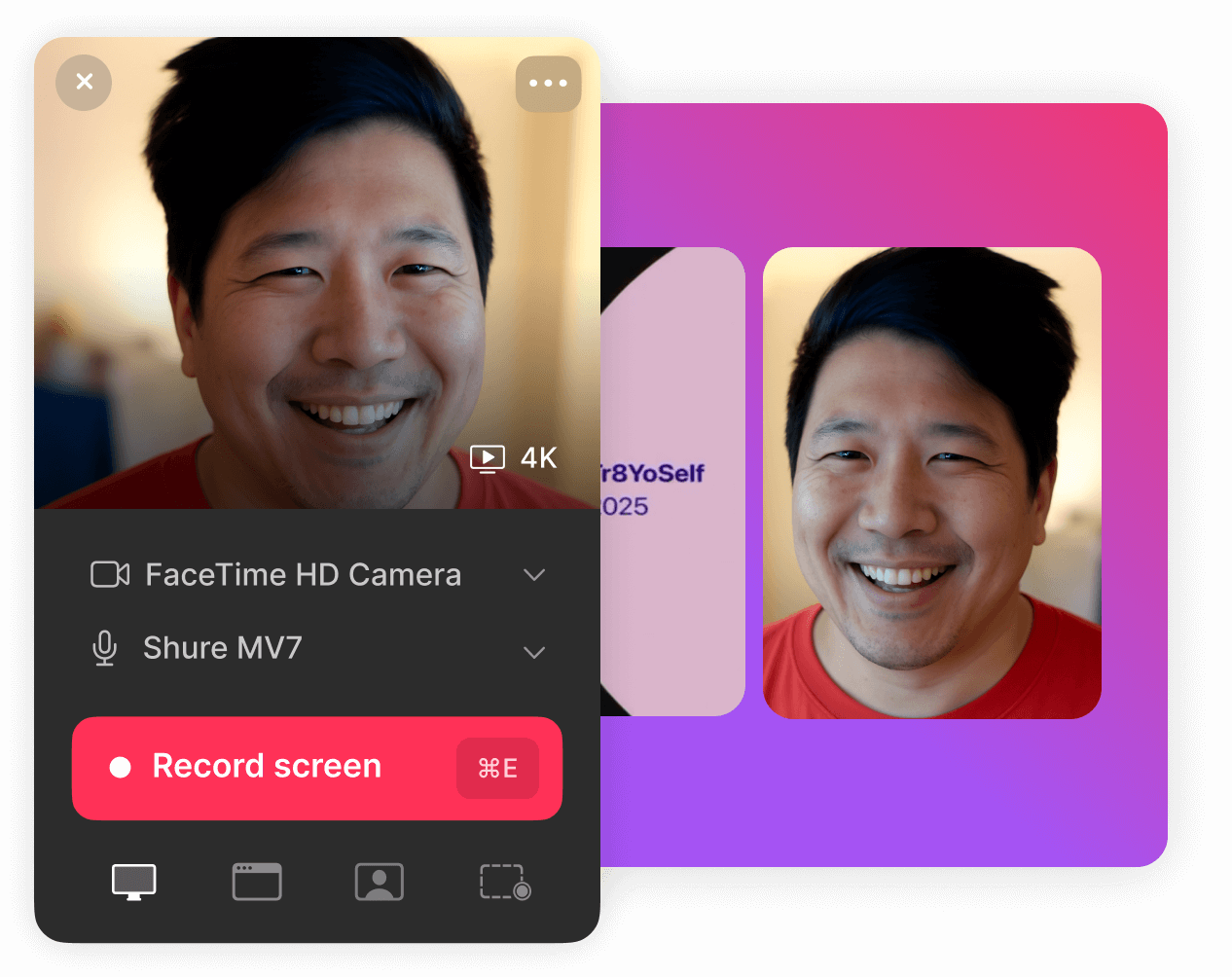
- Up to 4K screen recording: Capture your screen, a window, an area, or your camera with native macOS and Windows applications.
- AI Auto-Edit: Remove selected filler words, silences, and mistakes from native recordings.
- AI Assistant: Ask questions about recorded content and extract useful information from video transcripts.
- Automatic chapters and summaries: Help teammates find the relevant section without watching an entire video.
- Multilingual transcription and captions: Make recordings searchable and accessible to multilingual teams.
- Custom branding and layouts: Apply logos, themes, and presentation formats to shared recordings.
- Collaboration tools: Use playlists, timestamped comments, reactions, and sharing permissions.
- Engagement analytics: See video views and audience interactions.
- MCP and API access: Connect recording content to supported AI agents and external workflows
Supercut Enterprise Pricing and Features
Supercut Enterprise uses custom annual pricing. It includes all Pro features plus single sign-on (SSO), SCIM user provisioning, personally identifiable information (PII) detection, advanced administrator permissions, and tailored service agreements. Larger organizations can request a quotation based on their needs.
| Feature | Supercut Pro | Supercut Enterprise |
|---|---|---|
| AI Auto-Edit, summaries, and transcription | Included | Included |
| 4K recording and video sharing | Included | Included |
| MCP and API access | Included | Included |
| Published SOC 2 and ISO 27001 compliance | Included | Included |
| Single sign-on (SSO) | Not included | Included |
| SCIM provisioning | Not included | Included |
| PII detection | Not included | Included |
| Advanced admin roles | Not included | Included |
| Assigned account manager and custom SLA | Not included | Included |
Pro already provides the primary AI tools. Enterprise is generally justified by organization-wide access management, security policies, and support requirements—not merely by the need for AI editing.
Supercut Free Trial: 14 Days, Restrictions, and Standby Mode
Supercut provides a 14-day trial without a payment card. New users can test recording, AI assistance, and video communication before choosing a paid creator seat.
When Does the Supercut Trial Start?
According to Supercut’s Help Center, the trial starts with your first recording. Its public pricing page also says a first upload may start the countdown. Simply creating an account does not begin the trial period.
To begin:
- Create a Supercut account.
- Download the supported desktop recorder.
- Sign in to your workspace.
- Record your first video to activate the trial.
- Review editing, transcription, sharing, and workspace features.
Important trial documentation discrepancy: The public pricing page describes access to every Pro feature, while the Help Center says video uploads, downloads, and removal of Supercut branding are restricted during the trial. Do not assume those features will work without confirming inside your own trial workspace.
| Trial Feature | Public Pricing Page Description | Help Center Description |
|---|---|---|
| Trial length | 14 days | 14 days |
| Credit card | Not required | Not required |
| Recording and video sharing | Included | Available during trial |
| Uploading videos | Implied by full Pro access | Restricted |
| Downloading videos | Implied by full Pro access | Restricted |
| Removing Supercut branding | Implied by full Pro access | Restricted |
| Enterprise-only controls | Not included | Not included |
If uploading existing videos, exporting completed recordings, or removing platform branding is essential to your project, confirm current eligibility before relying on the trial.
What Happens After the Supercut Free Trial Ends?
An unpaid workspace enters Standby mode after the 14-day trial. You can keep existing videos, watch your own recordings, and continue recording new ones, but sharing is disabled. Uploading and downloading are also restricted until paid access is restored.
Upgrading to Pro restores the applicable paid sharing capabilities for recordings saved in your workspace. For professionals who regularly send client walkthroughs or internal updates, the trial is best treated as a short evaluation rather than a permanent free tool.
Supercut Team Pricing: Creator Seats, Free Viewers, and Extra Charges
Supercut’s seat-based subscription charges for paid creators, not every person who watches a video. Pro creator seats cost $18 monthly or the equivalent of $15 monthly with annual billing. Free viewer users can participate without each needing a Pro seat.
Supercut Team Cost Examples
| Paid Creator Seats | 12 Months of Monthly Billing | Annual Billing | Annual Savings |
|---|---|---|---|
| 1 | $216 | $180 | $36 |
| 5 | $1,080 | $900 | $180 |
| 10 | $2,160 | $1,800 | $360 |
These examples assume that the creator-seat count stays unchanged for the entire year. They exclude taxes, exchange-rate differences, and prorated seat additions.
A five-creator team pays $90 per month on monthly billing or $900 upfront for twelve months on annual billing.
Supercut Creator vs Viewer Seats: Who Needs to Pay?
Supercut supports unlimited free viewer users. They can view permitted recordings, access invited playlists, comment, react, and make their own recordings. Publishing and sharing videos, inviting members, and creating API tokens require the relevant paid permissions.
| Team Role | Paid Seat Required? | Typical Permissions |
|---|---|---|
| Pro creator | Yes | Record, publish, share, and collaborate |
| Viewer user | No | Watch permitted videos, comment, react, and record |
| Viewer who needs publishing access | Upgrade required | Publish and share after gaining creator permissions |
For example, a company with five employees who publish videos and fifteen colleagues who mainly review them may need five paid seats rather than twenty, provided viewer permissions meet its needs.

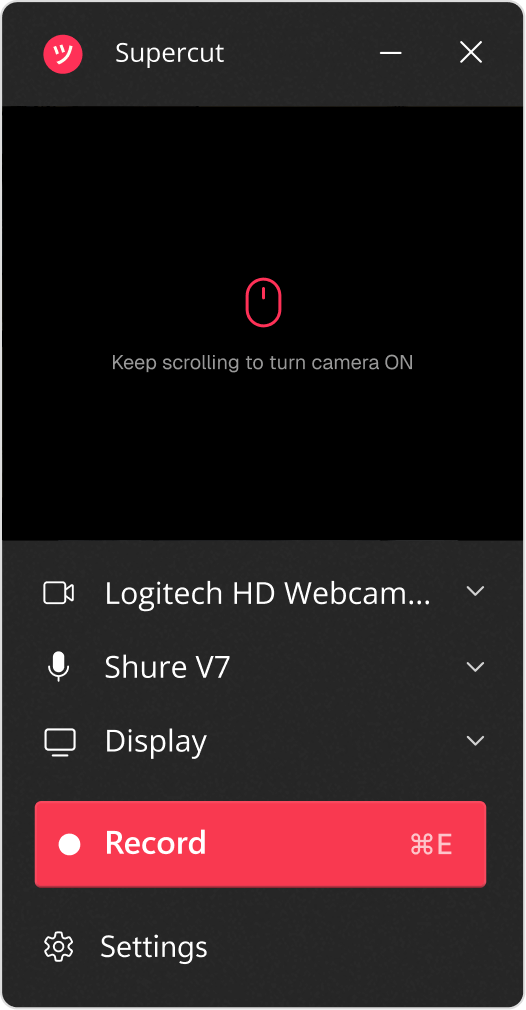
Click the original recorder image to expand it inside this article.
How Does Supercut Bill Additional Seats?
When an administrator adds a paid seat during an active billing cycle, Supercut normally calculates a prorated charge for the remaining period. For example, a seat added halfway through a month is billed for the remaining time rather than retroactively for the whole month.
Workspace owners can manage seat counts and billing intervals. Automatic seat upgrades may create charges without a separate confirmation for each extra invitation when that option is enabled. Authorized administrators should review the setting before inviting additional creators.
Seat reductions and some changes from annual to monthly billing take effect at the end of the current billing period rather than immediately.
Supercut Recording Limits: Video Length, 4K, and Upload Restrictions
Supercut supports unlimited native recordings in up to 4K resolution, but a native recording cannot exceed one hour. Unlimited refers to the number of recordings, not unlimited duration per video.
Imported videos have a separate file-size limit. The upload-duration documentation is currently inconsistent: Supercut’s Help Center specifies one hour, while its capture product page describes uploads of up to 1.5 hours. Both mention a 1 GB size limit. Check the uploader in your workspace before planning around the higher limit.
| Recording or Upload Limit | Supercut Details |
|---|---|
| Number of native recordings | Unlimited |
| Maximum native recording length | 1 hour |
| Native recording quality | Up to 4K |
| Maximum imported video duration | 1 hour in Help Center; 1.5 hours on capture page |
| Maximum imported video size | 1 GB |
| Auto-Edit on imported videos | Official guidance differs; verify feature availability for your file |
An additional editing distinction matters. The upload Help Center says imported videos lack certain features, including Auto-Edit and layout adjustments, while the newer Editor guidance says its editor can be used on imported videos. Feature availability may depend on the file and the editing action.
Supercut is designed to capture, improve, and share existing screen content rather than create elaborate, multitrack productions or AI-generated scenes. If your main goal is advanced creative editing, compare dedicated editors using their cost per project rather than Supercut’s creator-seat pricing.
Supercut Discounts and Loom Migration Offer
The standard way to reduce official Pro costs is annual billing, which saves about 16.7% compared with twelve monthly payments at the published rates. This discount requires payment for a full year in advance.
Can You Get Free Supercut Pro When Switching From Loom?
Eligible teams migrating from Loom can apply for promotional Supercut Pro access covering the remaining time on an existing Loom subscription. The promotion is subject to approval and should not be treated as an automatic discount for every applicant.
Applicants may need to provide team size, the Loom renewal date, and proof of their current subscription. As an illustration, an eligible team with seven months left on a Loom annual agreement could receive an approved period of Supercut access that avoids overlapping subscription payments. Actual terms depend on confirmation by Supercut.
The migration offer concerns Pro rather than Enterprise. Confirm its duration and the date of any later paid billing before canceling an existing Loom contract.
Supercut vs Loom Pricing 2026: Features, Limits, and Value
Supercut and Loom are both video messaging tools, but they package AI editing and free access differently. The table compares monthly billing prices rather than mixing monthly and discounted annual rates.
| Plan | Monthly Billing Price | Key Features and Limits |
|---|---|---|
| Supercut Pro | $18 per creator seat/month | AI editing included; unlimited native recordings; 1-hour limit |
| Loom Starter | $0 | Limited free recording: 25 videos per person and 5 minutes per recording |
| Loom Business | $18 per user/month | Longer paid recordings and standard editing |
| Loom Business + AI | $24 per user/month | Added AI summaries, chapters, and editing features |
The listed Loom prices reflect its monthly billing view; regional charges and annual discounts may differ.
Choose Supercut when built-in AI editing, 4K native recording, and fast asynchronous video explanations are central to the workflow. Choose Loom when a permanent free starter tier, longer paid recordings, or deeper Atlassian integration matters more.
Supercut can be a useful Loom alternative, but neither platform is universally better for every team.
Is Supercut Pro Worth the Cost in 2026?
Supercut Pro is most valuable when quick recorded explanations replace unnecessary meetings or reduce the time spent preparing polished demos, updates, and support responses. Its transcription and AI Assistant also make long discussions easier to search.
Illustrative cost example: At $18 per month, someone who makes 12 useful recordings spends $1.50 in subscription fees per recording. If Auto-Edit saves five minutes on each recording, that equals one hour of editing time saved in a month. This is a hypothetical calculation, not a measured performance guarantee.
Product teams can use screen recordings to demonstrate bugs to developers. Some teams also require console logs and network requests alongside those videos. In that case, Jam.dev pricing 2026 provides a useful comparison of technical issue-reporting workflows. Teams needing that functionality can also review the Jam Team subscription while confirming its creator-seat and account-access terms.
Sales and support teams may gain value from branded video replies, viewer engagement analytics, and explanations customers can watch when convenient.
Supercut also fits documentation workflows. A product team might record a walkthrough and keep related requirements, project notes, and action items in Notion. Teams evaluating this combination can use Notion AI workspace pricing to calculate the additional documentation costs.
Pro is less suitable for workflows that require multitrack production, recordings over one hour, or Enterprise-only security controls without a custom quotation.
How to Cancel Supercut Pro and Check Refund Eligibility
You can cancel Supercut Pro through your workspace’s Plan & Billing settings. Cancellation stops future renewal, but it does not automatically create a refund for unused subscription time. Paid features normally remain active until the current billing period ends.
- Open your Supercut workspace.
- Select the workspace name in the upper-left corner.
- Choose Plan & Billing.
- Find the subscription section.
- Select Cancel subscription.
- Confirm the cancellation.
After paid access ends, the workspace generally enters Standby mode. Your recordings remain available to you, but sharing is disabled. Download any videos you need to keep outside the platform before paid download access ends.
Supercut’s public cancellation instructions do not guarantee a universal refund period. Contact support to determine whether your purchase qualifies for a refund under the terms that apply.
Which Supercut AI Plan Should You Choose?
- Choose Pro Monthly if you are still evaluating the tool or need shorter-term billing flexibility.
- Choose Pro Annual if you expect regular use throughout the year and are comfortable paying the full creator-seat cost upfront.
- Choose Enterprise if your organization needs centralized SSO, SCIM provisioning, advanced permissions, PII detection, or custom agreements.
- Use the 14-day trial first to check how recording, editing, accessibility, sharing, and team access work for your actual use cases.
Estimate the number of employees who publish videos rather than paying for everyone who views them. For a small team, Pro plus free viewer access may cover demos, updates, and asynchronous collaboration without Enterprise administration. If your team primarily attends live meetings and needs AI-written notes rather than shareable screen recordings, Granola AI meeting-notes pricing offers a more relevant comparison of subscription costs.
Frequently Asked Questions About Supercut AI Pricing
Does Supercut AI Have a Permanent Free Plan?
No. Supercut offers a 14-day free trial, not a permanent free video-sharing plan. After the trial, an unpaid workspace enters Standby mode. Users may keep and make recordings, but cannot share them until paid access is restored.
Does Supercut Pro Charge Extra for AI Editing or Every Recording?
Supercut Pro includes core AI features such as Auto-Edit, the AI Assistant, summaries, chapters, and transcription within its seat-based subscription. The official Pro feature list does not advertise a separate per-recording fee. Native recording length limits still apply.
Can You Switch Between Monthly and Annual Supercut Billing?
Yes. Supercut provides billing-management controls for eligible plan changes. Moving from monthly to annual billing may trigger an immediate charge, while switching from annual to monthly is generally scheduled for the current billing period’s end. Review the final confirmation before changing plans.
Does the Supercut Free Trial Require a Credit Card?
No. Supercut’s 14-day trial does not require a credit card. Payment details are requested if you decide to subscribe to the paid Pro plan.
Can You Still Record Videos After the Supercut Trial Ends?
Yes. A workspace in Standby mode can keep its existing videos and continue recording. However, publishing and sharing are unavailable until a qualifying paid subscription is active.
Can You Use Supercut Pro on Windows and Mac?
Yes. Supercut has native applications for Windows and macOS with up to 4K recording support. The tool can record a full screen, selected area, window, or camera feed.
Are Supercut Viewer Seats Free?
Yes. Supercut supports unlimited free viewer users. They can review permitted videos and collaborate through reactions and comments, but publishing and sharing require appropriate paid creator permissions.
Is Supercut Cheaper Than Loom?
At the listed monthly billing rates, Supercut Pro and Loom Business both cost $18 per paid user. The better value depends on their AI feature packages, recording limits, and whether you need Loom’s permanent free Starter tier.
Does Supercut Offer Refunds After Cancellation?
Cancellation prevents future renewal but does not by itself guarantee a refund of unused time. Contact Supercut support to check the terms and refund eligibility of your specific purchase.
What Should I Check Before Buying Supercut Through Primingo?
Confirm the precise seat count, activation method, account or workspace ownership, administrator access, subscription duration, renewal terms, and seller support and refund conditions. Independent offers should not be assumed to have the same rights as a direct Supercut subscription.
